A customer emails your support address on Friday evening. They get the after-hours auto-reply, which is friendly and says you'll answer by Monday lunchtime. On Saturday they remember something else and email again. This time they get nothing, because on a Microsoft 365 mailbox the automatic reply goes out "once to each person who emails you during your absence", and Saturday's message is the same person. From where they're sitting, the mailbox worked once and then went dark.
That's the sort of thing you find out from a customer, months later, and it isn't in any of the template lists. Those pages hand you the words and stop. Nobody tells you that Gmail will re-send your reply to somebody who writes again four days later, that Google Groups splits its auto replies four ways and holds them until moderation clears, or that an Exchange setting your admin can change once will generate your external reply and then quietly delete it before it leaves the building, with no error anywhere.
So here are twelve auto-replies worth having on a support address, each with the exact condition that fires it and the specific way it goes wrong. Before those, the part that decides whether any of them work: what your platform actually does with the text once you save it.
If you're here for the text and nothing else, jump straight to it:
Nobody is at the desk: after hours · weekend · public holiday or shutdown · one person away · whole team offsite We have your message: first contact · web form with a reference · backlog notice This address doesn't go where you think: old address deprecated · wrong channel · someone has left · unmonitored sending address
What counts as an automated email response
An automated email response is a message your system sends when a condition is met, with nobody reading the incoming mail first. That last part is the whole definition. A human isn't in the loop, so the reply has to be right for every message that trips the condition, including the ones you didn't picture when you wrote it.
That makes it a different animal from the two neighboring things, and it's worth being strict about the difference because the failure modes don't transfer:
- What a person pastes. A canned response you paste into a live thread is picked by somebody who has read the message and decided the block fits. The judgment is the mechanism.
- What a person sends. A complete email with its own subject line, the onboarding or apology or renewal kind, is composed and sent deliberately.
- What the machine sends while nobody's looking. That's this page. It lands inside a thread the customer started, it has no subject line of its own, and it goes out whether or not the situation deserves it.
Rule of thumb: if your text needs its own subject line to make sense, it isn't an auto-reply. It's a template, and it belongs on one of the other two pages.
What an auto-reply has to say, and what to leave out
Three to five sentences, carrying four things:
- That it arrived. Not "your request is important to us", just confirmation that the message reached a real queue.
- When a human answers. A window, with a unit and a time zone.
- What happens next. Who picks it up, whether a reference number is coming, whether they need to do anything.
- How to reach someone if it can't wait. A genuine escape hatch, or nothing. A fake one is worse than none.
There's a fifth that's optional and worth considering on first-contact acknowledgements only: a pointer to the one or two help articles that answer your most common question. It's the one thing in an auto-reply that can actually resolve the problem before a human arrives. Add it if you have a help center worth linking to, and skip it otherwise, because a link to a thin FAQ reads as a brush-off.
The leaving-out half matters more, because it's where these go wrong. Don't apologize for the automation; the customer knows what a robot sounds like and doesn't mind one that's useful. Don't include a window you can't hit: an auto-reply is a published promise sent at machine speed, so it should never be more ambitious than the response target you actually published. Don't ask the customer a question the robot needs answered, because nothing is reading the reply and acting on it; inviting them to add detail to a thread a human will read is fine, and several of the examples below do exactly that. And don't sign it with a person's name, because the next mail in the thread will come from somebody else and the customer will notice.
One test before you save anything: read it as if the customer has already waited two days and this is the reply that finally arrived. Most auto-reply copy fails that reading badly.
Before you write one: what your platform actually sends
Every template list skips this, and it's the part that determines whether your reply reaches anyone. If your support address is a shared inbox rather than one person's mailbox, it matters more, because the settings below are attached to the mailbox and not to whoever happens to be watching it. Three platforms, three sets of behavior you didn't configure:
| Platform | What the setting is called | How often the same person gets it | What can override it |
|---|---|---|---|
| Gmail | Vacation responder | Once, then again after four days, and again if you edit the text | Nothing at the mailbox level, but spam and list mail are excluded |
| Outlook and Microsoft 365 | Automatic Replies | Once per person for the whole absence | An Exchange remote domain set to block external replies, which deletes them silently. Allowed by default |
| Google Groups | Auto replies | Not documented per sender, and delayed until approval where moderation is on | The internal versus external and member versus non-member split |
One thing all three have in common, and it shapes half the examples below: these built-in responders take a single window, not a recurring schedule, and they fire on every message rather than on a condition. Gmail's vacation responder takes one date range. Outlook's scheduled state takes one start time and one end time. Google Groups has no schedule at all. So an after-hours reply that comes on every weekday evening, a weekend-only reply, or a reply that fires only for first-time senders or only on mail mentioning billing needs something in front of the mailbox: a filter or rule that sends a template, a helpdesk, or a shared inbox tool. That isn't a reason to skip the examples, but it's the difference between switching one on tonight and putting it on next quarter's list, so each example below says which kind it is.
Gmail
The path is Settings, then See all settings, then General, then Vacation responder. Google is explicit that "in most cases, your reply is only sent to people the first time they message you", and then lists the two ways somebody gets it twice: "the same person contacts you again after four days and your automatic reply is still on", or you edit the text, because "if someone gets your initial automatic reply, then emails you again after you edit the reply, they get the updated email". That second one bites during a long shutdown. Fix a typo on day three and everybody who writes again gets a fresh copy.
Two exclusions are already built in and they're the sane ones. Per Google's vacation responder documentation, "emails sent to your spam folder or addressed to a mailing list you subscribe to don't get your reply". There's also a contacts-only checkbox under the message, which is the blunt instrument for a personal mailbox and almost never what you want on a support address, where by definition most senders aren't in your contacts.
Outlook and Microsoft 365
In new Outlook the documented path is the View tab, then View settings, then Accounts, then Automatic Replies. Microsoft's own description of the feature is the sentence to internalize: it "automatically sends a customized message once to each person who emails you during your absence", per Microsoft's page on automatic out-of-office replies. Once per person, not once per message. That's why an Outlook automatic reply can't serve as a per-request confirmation, and it's the reason the Friday and Saturday emails at the top of this page got different treatment.
The internal and external replies are separate texts, and how the external one is scoped depends on where it was configured. In the Outlook interface it's a choice the user makes: you tick Send replies outside your organization, and Microsoft's warning about doing that is blunt, because it "will send your automatic reply to every email you receive, including newsletters, advertisements, and potentially, junk email". Their suggested mitigation is Send replies only to contacts, which on a support address is unusable, since most senders aren't in your contacts. The real answer is the standards section further down.
Set the same mailbox from Exchange Online PowerShell and the default runs the other way. In the Set-MailboxAutoReplyConfiguration reference the ExternalAudience parameter takes None, Known ("only to external senders that are specified in the Contact list of the mailbox") and All, which Microsoft documents as "Automatic Replies are sent to all external senders. This value is the default." So a mailbox scripted rather than clicked will reply to every outside sender unless somebody says otherwise. Worth checking on a shared mailbox, which is far more likely to have been configured by a script than by a person sitting in front of it.
The same cmdlet carries AutoReplyState, where Disabled is the default and Scheduled sends replies "during the time period that's specified by the StartTime and EndTime parameters". Scheduled is how you do a holiday shutdown properly: set it in advance with real start and end times, rather than trusting somebody to remember on the way out the door.
Worth knowing before you plan any of this on a team address: on a shared mailbox, who is allowed to set the automatic reply at all depends on the client, and in several of them it's an administrator rather than the people working the queue. That's covered properly in our guide to shared mailboxes in Outlook, along with the client paths for reaching one.
Now the failure that costs the most when it happens, because nothing tells you it did. Exchange Online remote domain settings, which an admin configures per external domain, "override settings that your users might configure in Outlook or Outlook on the web". Microsoft's example is precisely our case: users "might have an out-of-office reply set up for people outside the organization, but if a sender from a remote domain sends mail to them, and the remote domain isn't set to receive out-of-office replies, no out-of-office reply is sent". And when a remote domain blocks a reply, "the reply is generated, but then it's deleted before it's sent. No error message is sent."
The defaults are on your side here: Microsoft documents that "the default is to allow automatic replies" and that "the default is to send the out-of-office reply for people outside your organization". So this only bites where somebody has deliberately changed a remote domain, which most small teams never touch. It's worth knowing anyway, because when it does happen there is no symptom to notice, and the person who changed it was solving an unrelated problem.
So you can write the reply, switch it on, test it from the desk next to you, watch it work, and have it reach zero customers, with nothing in the interface to tell you. This is why the test under "How to check yours actually works" starts from an outside address and not an internal one.
Google Groups
If your support address is a group rather than a mailbox, the settings live somewhere else entirely: Group settings, then Email options, then Auto replies, and Google's page on group auto replies notes it requires the Owner or Manager role. You don't get one auto reply either. Google lets you "set up separate auto replies for internal and external members and non-members", so the text is split along two axes and each combination has its own box to fill in. Teams routinely complete one, test it from a colleague's account, and never discover that the one covering actual customers is empty.
The other Groups behavior to plan around: "if message moderation is turned on, an auto reply is sent only after a message is approved". If you don't moderate, this doesn't apply. If you do, and approval happens once a day, your instant acknowledgement is really a next-morning acknowledgement, which is worse than not having one because the timestamp makes the delay visible.
12 automated email response examples
Each one below has the same three parts: the condition that fires it, the text, and the specific thing that goes wrong with it. Placeholders are in brackets. Nothing here carries a subject line, because an auto-reply lands in the thread the customer already started.
Group A: nobody is at the desk
1. After hours
When it fires: outside published support hours on a working day. Needs a rule layer: no built-in responder repeats nightly.
Thanks for writing in. You've reached us outside our support hours, which are [9am to 6pm, Monday to Friday, Central European Time]. We'll pick this up when we're back at the desk, and you don't need to resend. If it's an outage or something's charging you twice, mark it urgent by replying with URGENT in the first line and it'll jump the queue in the morning.
The trap: the URGENT line is a promise you have to build. Nothing in a vacation responder reads incoming mail, so unless you've set up a filter or label that actually surfaces those replies, you've told the customer about a fast lane that doesn't exist. Build it first, or cut the sentence. The other trap is the time zone: write "9 to 6" without one and half your senders will do the arithmetic wrong in their favor, then be annoyed at you at 9am their time.
2. Weekend
When it fires: Saturday and Sunday, distinct from the after-hours text. Needs a rule layer for the same reason, unless somebody switches it on and off by hand each week.
Thanks for the message. Nobody's on the support desk over the weekend, so this'll be answered on [Monday] morning, [European time]. It's in the queue already and it keeps its place, so there's no need to send it again.
The trap: teams reuse the after-hours text here, which promises a next-business-day answer and reads as a lie on Saturday morning. If the wait is 48 hours, say the day.
3. Public holiday or shutdown
When it fires: a scheduled window covering a named holiday or shutdown. Built in: this is the one case the native responders are designed for.
Thanks for getting in touch. We're closed for [the Christmas break] and back on [2 January]. Nothing sent here gets lost: we'll work through the backlog in order when we're back, oldest first. If you're stuck on something that can't wait that long, [name] is covering emergencies at [address].
The trap: editing the text mid-shutdown. On Gmail that re-sends the whole thing to anyone who writes again, so fix your typos before you leave or live with them. Set the window a couple of hours before you actually go, and check the start and end dates against the time zone the mailbox is configured in rather than the one you're standing in, which is the difference between covering Christmas Eve and starting on Christmas Day.
4. One person away, with cover
When it fires: an individual mailbox, not the shared address, during a named person's leave. Built in.
I'm out until [date] and not checking email. [Colleague] has picked up my work while I'm away and can be reached at [address]. For anything about [account or project], the fastest route is our support address at [address], which the whole team watches.
The trap: naming a colleague who doesn't know they've been named. Ask first, and put the shared address in as well so a second absence doesn't create a dead end.
5. Whole team offsite
When it fires: the shared address, during a window when the queue genuinely isn't being watched. Built in.
Thanks for writing. The whole team's offsite until [date], so replies will be slower than usual: expect [two working days] rather than our normal [one]. Urgent production issues still get looked at, and [name] is on call at [address].
The trap: saying "slower than usual" without a number. Set the expectation explicitly or you've told the customer nothing except that you're busy.
Group B: we have your message
6. First contact on the shared address
When it fires: a message to the support address from a sender who hasn't written before. Needs a rule layer if you want the first-time condition; a native responder will send it to everyone, which is close enough for many teams.
Got it, thanks. Somebody on the support team will read this properly and reply within [one business day]. You don't need to do anything in the meantime, and if you remember more detail just reply to this thread so it stays in one place.
The trap: on Outlook and Microsoft 365 this fires once per person for the whole period, so a customer's third email of the week gets silence. Don't design a workflow that assumes every message gets acknowledged. The opposite failure is just as common and easier to miss: if a helpdesk or form tool is already acknowledging arrivals and somebody switches the mailbox responder on as well, the customer gets two greetings a second apart. Before you enable this, send yourself one message and count what comes back.
7. Web form submission with a reference
When it fires: a form post. Needs whatever runs your form to mint the reference and send the mail.
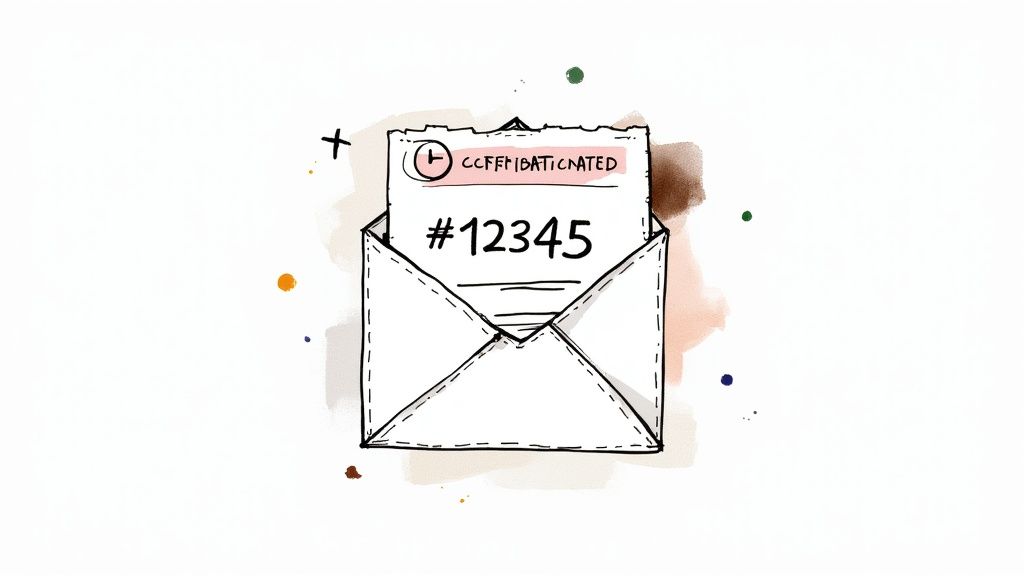
Thanks, we've got this. Your reference is [#12345] and it's worth quoting if you call. Somebody will reply here within [one business day]. Everything you sent through the form is attached to the reference, so you don't need to repeat it.
The trap: promising a reference the customer can't use anywhere. If there's no portal and no phone line where the number means anything, the number is decoration and it invites a follow-up asking where to look it up.
8. Temporary backlog or volume notice
When it fires: manually, for a defined period, when the queue is genuinely behind. Built in.
Thanks for writing in, and apologies in advance for the wait. We're running about [three days] behind after [the migration last week], so this'll take longer than our usual [one business day]. It's in the queue and it hasn't been forgotten. If it's urgent, reply with URGENT in the first line and we'll pull it forward.
The trap: leaving it on after the backlog clears. Put an end date in your calendar the moment you switch it on. And if you're turning this on every second week, the wording isn't the problem: work out what the queue actually needs instead of apologizing faster.
Group C: this address doesn't go where you think
9. Old address deprecated
When it fires: any message to a retired address you're keeping alive through a transition. Built in, on the old mailbox.
This address is being retired. Your message has been forwarded to our support team, so you don't need to resend it, but please update your address book to [new address] for anything after [date].
The trap: saying it's been forwarded when it hasn't. If the old address just collects mail nobody reads, say so and give the new one, rather than reassuring somebody into silence.
10. Wrong channel
When it fires: mail that clearly belongs elsewhere, typically billing or sales. Needs a rule layer: this one is a keyword condition, not a schedule.
Thanks for writing. It looks like this is about billing, and this address goes to the technical support team. We've passed it to [billing at address], who'll pick it up from here. If we've read that wrong, just reply and say so and we'll take it ourselves.
The trap: keyword rules misfire constantly. Always include the "if we've read that wrong" line, and make sure the message genuinely gets forwarded rather than just redirected in the text.
11. Someone has left
When it fires: a departed colleague's address, redirected to the team. Built in.
[Name] no longer works at [company]. Your message has reached the [team name] team and somebody will reply within [one business day]. For anything ongoing that [name] was handling, mention the account name and we'll pick up the thread.
The trap: the version that only says the person has left. That's a dead end that makes the sender start again from scratch. Say where the mail landed and what happens next.
12. Reply to an unmonitored sending address
When it fires: anything sent to the address your notifications go out from. Built in.
This address doesn't reach anybody: it's the one our system sends notifications from. To get a person, write to [support address] and we'll pick it up within [one business day]. Copying your message across into a new mail to that address is the fastest route.
The trap: this one has to be excluded from your own outbound mail, or it answers your system's own notifications and you've built a loop inside your own domain. Check that before switching it on, then check whether you need the noreply@ address at all, because a monitored address that people can just reply to solves this by deleting the problem.
What to change before you paste one in
The text above is a starting point, and there are three things you have to make yours:
The bracketed placeholders are non-negotiable. Every one is a fact only you know. An auto-reply that ships with "[one business day]" still in the brackets is the most embarrassing possible way to introduce yourself.
Pick a unit and stick to it across all twelve. "One business day" and "24 hours" mean different things on a Friday, and if different auto-replies on the same mailbox use different units, somebody will eventually hold you to the shorter one.
Match the voice of the human reply that follows. If your team writes like people and the robot writes like a legal notice, the customer notices the seam. Read each one out loud. If you wouldn't say it, don't send it.
Loops, list mail and the rules the standard sets
There's an actual standard for this, RFC 3834, and most auto-replies in the wild break it. It's short and worth ten minutes, but here's what matters for a support address:
Mark your replies. The RFC says "the Auto-Submitted field, with a value of 'auto-replied', SHOULD be included in the message header of any automatic response". This is how the rest of the world's mail systems know not to answer you back.
Don't answer other robots. Automatic responses "SHOULD NOT be issued in response to any message which contains an Auto-Submitted header field ... where that field has any value other than 'no'". That single rule is what stops two mailboxes writing to each other until somebody notices.
Don't repeat yourself. For the away-from-my-mail kind specifically, a responder "SHOULD NOT issue the same response to the same sender more than once within a period of several days", and the document recommends seven days as the default. Note which way your platform errs: Gmail's four-day repeat is looser than that recommendation, and Outlook's once-per-absence is stricter than it. The rule is scoped to notices about your inability to reply, so a per-request acknowledgement that answers each form submission isn't in breach of it.
Reply to the envelope, not the letterhead. "In general, automatic responses SHOULD be sent to the Return-Path field if generated after delivery", not to whatever the From header claims. The built-in responders on the three platforms above do this for you; a homegrown script that reads the From header instead is how you end up auto-replying into a forged address.
On list mail the standard is more permissive than you'd hope: a responder "MAY ignore any subject message with a List-* field", and because the older Precedence header is used inconsistently, the RFC declines to recommend any particular behavior around it. In other words it's optional, so your platform may or may not be doing it. Gmail excludes mail addressed to lists you subscribe to; Outlook's external replies, per Microsoft's own warning, go to "every email you receive, including newsletters, advertisements, and potentially, junk email".
The practical version of all of this is one sentence: a support address that auto-replies must not be subscribed to anything. No newsletters, no vendor updates, no monitoring alerts from a system that also auto-replies. And never point two auto-replying addresses at each other, which usually happens by accident when a forwarding rule outlives the person who set it up.
An auto-reply isn't a response
Worth saying plainly, because the whole genre is sold on the opposite. An acknowledgement tells the customer the message arrived. It doesn't tell them anything about their actual problem, and if it stops your clock, your response time measurement is now measuring your mail server rather than your team. It also does very little to the thing customers actually experience, which is how long they waited for a real answer.
The honest reason acknowledgements feel necessary is usually internal: on a shared address, nobody can see whether a message has been picked up, so the auto-reply becomes a substitute for visibility the team doesn't have. That's a problem worth solving on your side rather than the customer's. A shared inbox tool like TriageFlow gives you assignment and status on the shared address itself, so you can tell at a glance what's been claimed, which is what the acknowledgement was standing in for. It's also the layer that makes the conditional examples above possible, the ones a vacation responder can't express, because rules that fire on a sender or a keyword rather than on a date have to live somewhere.
How to check yours actually works
Six steps, in this order. Most teams do the first one and stop, which is exactly how the silent failures survive.
- Send from an outside address. A personal account on a different domain, not a colleague. Internal mail never touches the settings that break external replies.
- Send twice from the same address, an hour apart. Now you know whether your platform sends once per person or once per message, on your configuration rather than in theory.
- Read the external variant specifically. If your platform splits internal and external text, confirm the external box is filled in. This is the single most common empty field.
- Check whether it landed in spam. An acknowledgement in the junk folder is the same as no acknowledgement, and it also tells you something about your sending setup.
- Test the group variant if your support address is a group. Send as a non-member from outside, because that's the box teams forget, and check whether moderation is delaying it.
- Read the raw headers. In Gmail that's Show original; in Outlook, message properties. Look for
Auto-Submitted: auto-replied. If it isn't there, your reply is going to argue with somebody else's robot eventually.
Run this once when you set the replies up, and once more after anybody touches mail routing, forwarding or a remote domain. The Exchange remote-domain behavior described above means a change made by an admin who's never seen your auto-reply can silently switch it off for every customer you have.
Frequently asked questions
What is an automated email response?
Any reply your mail system sends on its own, from a vacation responder to a form acknowledgement carrying a reference number. What they have in common is that no person stands between the incoming message and the outgoing one. Practically, that means the text ships to whoever trips the condition, including the customer whose situation you never imagined when you wrote it, which is why the specific wording matters more than it looks like it should.
How do I set up an automatic reply?
In Gmail, Settings, See all settings, General, Vacation responder. In new Outlook, the View tab, then View settings, then Accounts, then Automatic Replies, where you can schedule a window and write separate internal and external texts. If your support address is a Google Group, it's Group settings, Email options, Auto replies, and you'll need the Owner or Manager role. Each of the three behaves differently once it's on, which "Before you write one" covers in detail.
Are auto-replies annoying to customers?
They are when they're the only thing that ever arrives, when they promise a window your team misses, or when somebody asked a one-line question and got a paragraph of process in return. They're fine when the window is real and the reply that follows lands inside it. What customers actually object to is being told Tuesday and hearing from you on Thursday, and no amount of rewriting the robot fixes that one.
Can I set an automatic reply for a shared mailbox?
Yes, though who's allowed to configure it varies more than you'd expect, and in some Outlook clients it's an administrator rather than the team using the mailbox: our guide to shared mailboxes in Outlook has the routes per client. On Microsoft 365 the reply can be scheduled with start and end times, and a mailbox configured by script rather than by hand will reply to all external senders by default. On a Google Group it's a group setting needing the owner or manager role. Either way, check whether an admin-level setting is quietly overriding what you saved.
Why isn't my out-of-office reply reaching external senders?
The usual cause on Microsoft 365 is a remote domain setting, which an administrator configures per external domain and which overrides whatever individual users set in Outlook. When a remote domain is set to block them, Microsoft is explicit about what happens: "the reply is generated, but then it's deleted before it's sent. No error message is sent." Nothing appears in your interface and nothing bounces, so the only way to catch it is to test from an address outside your organization. The permissive setting is the documented default, so this only happens where somebody changed it, usually for an unrelated reason. The other candidate is simpler: in the Outlook interface, replies to people outside your organization are a separate box you have to tick.
Does an auto-reply count as a first response?
No. It confirms delivery, not that anybody has looked at the problem, and counting it as a first response means your reported numbers stop describing the customer's experience. The practical consequence is that if you measure first response and your acknowledgement stops that clock, your dashboard will look excellent on a week when nobody answered anything.