The rule went in on a Friday afternoon and it looked right: anything from the payment provider's domain gets flagged and pushed at the two people who handle chargebacks. For the first half hour it did nothing at all, because a new transport rule can take up to 30 minutes to start applying. The real problem surfaced on Monday. The rule had been matching on a sender address the provider quietly stopped using in June, and there was nothing to compare it against, because Exchange keeps no history of what a rule used to be.
A week like that is usually what sends a team looking for email triage software. The sorting they built out of rules has turned into something that fails without saying so, and nobody can date the failure. The useful question is narrower than which tool is best: which layer of the stack you already pay for should be making the triage decision, and what does a piece of software have to do before it earns a place on top of them.
The short version
- Email triage software decides category, priority and owner for each incoming message before anyone starts writing a reply, and it makes that decision visible to everyone working the address. It does not host your mail: your provider, domain and address stay exactly where they are.
- The decision can live in four places: in transit at your provider, after delivery in a personal client, in a shared queue layer, or in a model. Most teams end up with two of them running at once and no idea which one won.
- Rules handle anything the envelope already tells you and nothing that needs an owner, a state and a clock. Where that line falls in your own queue decides whether you need to buy anything, and it matters more than any accuracy claim.
- Ask how a tool connects to your mail before you ask what it can classify. Provider APIs have documented subscription lifetimes, notification rate caps and delivery latencies, and those numbers set the floor for how stale your queue can get.
- Measure time to first touch and end-of-day unassigned share for a week before you install anything. Without the baseline, the trial proves nothing.
What email triage software actually does
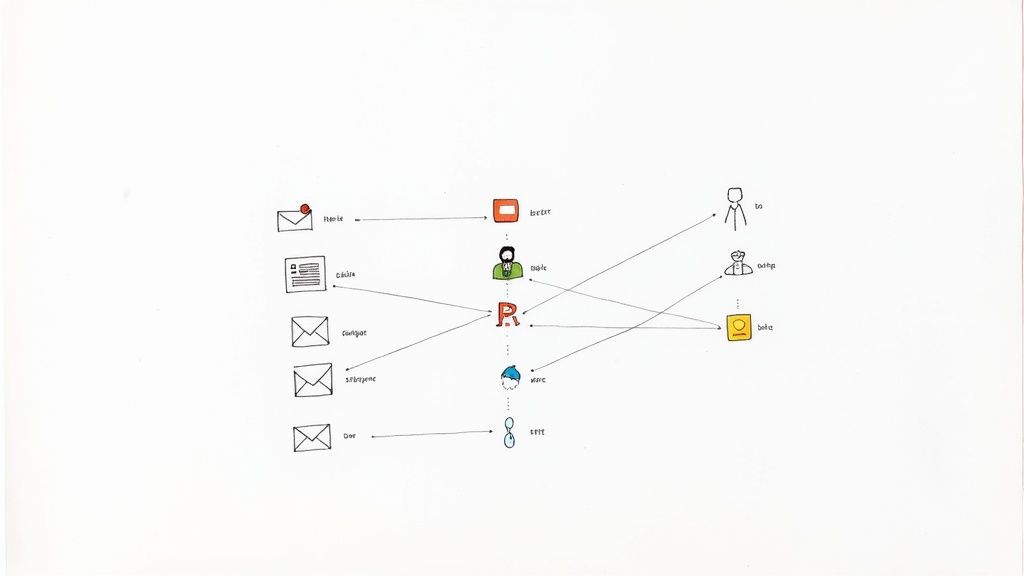
Email triage software makes one decision per incoming message, before anyone starts answering: what is this, how urgent is it, and who owns it. Then it puts that decision somewhere the whole team can see.
That is the whole job, and it is narrower than the way the category gets sold. Your address, domain and provider stay put, because the tool works through a connection to the mailbox you already have. The customer record is somebody else's department, which is where a CRM lives. Drafting is a separate product even when it ships in the same box: triage software decides, assistants write. And it is not the same thing as a shared inbox, though the two usually arrive together. A shared inbox is the queue several people work out of. Triage software is the decision layer over that queue, which is why a team can have the first and still be sorting by hand.
The process underneath exists whether or not you buy anything, and it is a different subject from the software. If you want the pass itself, how a triage pass runs and what each decision covers is the process side. This article is about where that decision should physically live, and what a tool has to prove before it earns a place in the stack.
Where the triage decision can live: four layers
Every vendor diagram draws triage as one box. In a real setup there are four places the decision can be made, and they differ most in the thing you will care about later, which is what happens when the decision is wrong.
| Layer | What it can decide | Who sees the decision | What happens when it is wrong |
|---|---|---|---|
| In transit, at the provider (Workspace routing, transport rules) | Where mail is delivered, what gets copied elsewhere, what is stamped on it | An admin, in a settings page nobody opens | The message is elsewhere. Nobody in the queue knows it existed |
| After delivery, in a personal client (Gmail filters, Outlook inbox rules) | Which label or folder it lands in, for one account | The person whose account it is | Mail is filed out of sight of the one person who could have caught it |
| In a shared queue layer | Category, priority, owner and state, per conversation | Everyone working the address | Someone reassigns it in seconds, visibly and reversibly |
| In a model | A category, priority and route inferred from language rather than matched | Whoever can see the layer the model writes into | Whatever that layer does when it is wrong |
Most teams that outgrow their rules need layer three. Layer one decides delivery, not ownership, and layer two decides it for one person.
The last row is the one that gets misread. A model does not add a fifth place for the decision to live. It produces the decision and then writes it into one of the three layers above, which is where its blast radius comes from. That is also why the shared queue layer is where most teams put a classifier first: a wrong answer there is cheap to correct.
The practical trouble in most teams is that two layers are live at once and they disagree. A transport rule copies invoices to accounts, a personal filter on the duty person's account labels and archives them, and the shared queue never shows them at all. Nobody built that. It accumulated. Before evaluating a single tool, write down which layer currently makes each decision on your address.
If the layer you are missing turns out to be a shared queue, the next question is how heavy it should be, because what changes when a message becomes a ticket record is a different and more expensive model than a queue with owners on it.
What you already own, and where it stops
Before buying a decision layer, find out how far the ones you are already paying for go. Both big platforms document this honestly, and the limits are more specific than the marketing on either side suggests.
On the Microsoft side, mail flow rules are the provider-level layer. Microsoft's documentation on mail flow rules in Exchange Online states that they "take action on messages while they're in transit, and not after the message is delivered to the mailbox", which is the property that makes them powerful and the property that makes them dangerous. Four documented behaviors matter when you use them as a triage layer:
- Changes are not instant. "After you create or modify a mail flow rule, it can take up to 30 minutes for the new or updated rule to be applied to messages." A fix you make during a busy morning is not in force for that morning.
- There is nothing to revert to. "History and changes to mail flow rules aren't maintained; so, you can't revert mail flow rules back to previous states." When sorting goes wrong, you cannot diff it against last week.
- One rule cannot express "or". Multiple conditions in a rule combine with AND, while multiple values inside a single condition combine with OR. Microsoft's own advice is to split them: "If you need to match one condition or another, use separate rules for each condition." This is how the one big rule that was going to handle everything becomes eleven rules in a priority order nobody can hold in their head.
- Some mail is never evaluated. System-generated messages "don't get processed by your organization's mail flow rules", including non-delivery reports generated by Exchange and journal reports. If your triage logic was supposed to catch bounces, it is not catching them.
On the Google side, the provider layer decides delivery rather than ownership. Google's admin documentation on email routing and delivery options describes split delivery, which "lets you deliver incoming email messages to 2 different email systems in your domain, based on recipients you specify", dual delivery "when you need to deliver messages to 2 or more inboxes", and a catch-all address that "gets incorrectly addressed messages sent to your domain". It also notes that these routing settings "will override any legacy settings" where the two conflict. All of that answers where mail goes. None of it answers who is answering it. The personal-client layer, Gmail filters and Outlook inbox rules, has the opposite problem: it decides for one account and tells nobody else.
Here is the part no vendor page will print: for two or three people on one address, with a written convention about who takes the morning pass, this layer is often enough. Rules that sort by sender domain, plus one person who owns the queue that day, carry a small team a long way. Rules are not unsophisticated. They simply have nowhere to put an owner, a state or a clock, and that is the ceiling you eventually hit.
The seven questions a triage tool has to answer that a rule cannot
Categorizing mail is table stakes, and every product in this category does it. The seven below are the capabilities that only exist above the rules layer, written as questions for a demo rather than features to look for on a page. Ask the first three early.
- When the person holding a thread is out for a week, where does the owner live? The answer you want is that the owner is a field on the conversation that anybody can change. The answer that ends the demo is that assignment means forwarding into somebody's personal mailbox, which recreates the exact failure you are buying your way out of.
- Can I see that a colleague already has this open, or has already replied? Two seconds of visible state prevents the duplicate reply. Ask to see it on a thread somebody else is holding, not on a slide.
- When I defer something until Thursday, what does it come back to? Snooze that returns a thread to the queue is a triage feature. Snooze that returns it to the person who deferred it is a personal productivity feature wearing a queue costume, and it quietly reintroduces single ownership.
- Can escalation fire on age and on time to first touch, not only on category? Most escalation logic here is category-driven, which means the message nobody classified is also the message nobody escalates. Age-based escalation is the safety net under your classifier.
- Is there one view that shows every unhandled thread with its owner and state? One view, not a saved search per person. This is where a duty person lives all day, and if it does not exist, the triage decision is being stored somewhere it cannot be read back.
- Who or what set this category, and when was it last changed? An audit trail of triage decisions is how you answer "why did this sit for two days" without calling a reconstruction meeting. Ask whether automated and human decisions are distinguishable in that trail.
- Can I see accuracy per category, not just as one number? A strong-looking aggregate can hide near-random performance on the small category that costs real money, usually refunds or cancellations. If the tool cannot break the number down, you cannot use the number.
Those seven describe one thing between them: a layer that holds ownership and status on the conversation itself, so that nobody has to remember either. That is what a shared inbox tool like TriageFlow is for, and the requirement set is the same whether you end up with a light queue or a full suite. The wider purchase question, including which categories of product satisfy it and what the pricing does at your team size, sits in the criteria and mechanics behind choosing shared inbox software.
Rules or a model: which decision belongs to which
The split comes down to where the signal lives and what a mistake costs. Rules own the envelope. Sender domain, recipient alias, list headers, attachments over a size: those are facts, they need no interpretation, and a rule that gets one wrong announces itself within a day.
Language is where rules run out. Whether somebody is about to cancel, whether this is a bug report or a how-to question, whether a politely worded message is actually urgent: no envelope field carries any of that, and the 40 keyword rules people write to approximate it produce a system nobody dares touch.
A third bucket belongs to neither. When being confidently wrong costs real money, as with refunds past policy, legal-sounding complaints, or anything touching an account up for renewal, the machine proposes and a person disposes. That is a workflow choice rather than a technical limit, and it is cheap to keep.
One caveat before you wire a classifier into anything: a wrong label in a queue costs somebody ten seconds, while a wrong redirect in transit means the message is not in the queue at all. Same model, different blast radius. For how classification actually fails and how to introduce it in stages, where AI triage breaks and how to roll it out covers the machine half properly.
How a triage tool actually sees your mail
"Integrates with Gmail and Outlook" covers three quite different arrangements, and the difference reaches you as staleness in the queue rather than as anything visible in a feature list.
Provider API with push notifications. The tool subscribes to changes and the platform tells it when something arrives. The documented numbers are the ones to ask about. Microsoft Graph gives Outlook message subscriptions a maximum lifetime of "10,080 minutes (under seven days)", dropping to "1440 minutes (under one day)" for subscriptions that carry resource data, so a tool has to keep renewing or it goes deaf. Microsoft also publishes notification latency for message resources: less than one minute on average, with a maximum of three. On the Google side, the Gmail API push guide is equally specific. "You must call the watch at least once every 7 days or you'll stop receiving updates for the user", with a recommendation to renew daily, and each watched user "has a maximum notification rate of one event per second. Any user notifications exceeding that rate are dropped."
That last sentence is the one to sit with. During a burst, which is exactly when triage matters, notifications above one per second are dropped rather than queued. A well-built tool reconciles afterwards by listing what changed. A badly built one shows you a queue that is quietly missing messages.
Polling over IMAP or the API. Simpler to build, and the cost lands on freshness and on quota. Google publishes a per-user Gmail API quota of 6,000 units per minute, with messages.list costing 5 units and messages.get costing 20, so checking often across a busy mailbox gets throttled well before it gets fast. If a vendor cannot tell you their polling interval, the answer is usually that it varies with load.
Forwarding or redirection into the tool. The oldest arrangement, and the only one that changes your mail flow instead of reading it. It also puts the provider's own redirection limits between your customer and your queue, which is a failure that produces no error message for anyone to notice.
Turn all of it into three questions for the sales call. How do you connect to our mailbox. What happens to our queue if that connection lapses for an hour, and do you backfill. What is your worst-case delay between a message arriving at our provider and appearing in the queue. Vendors who have thought about it answer in numbers.
What to measure, starting a week before you install anything
The most common way a trial goes wrong is that it succeeds. Everybody agrees the new thing feels better, nobody has a number, and six months later the renewal conversation runs on opinion.
Baseline four numbers for one normal week before you install anything:
- Median time to first touch. Arrival to the first human action on the thread, not to resolution. This is the number triage software should actually move.
- Share of the queue still unassigned at end of day. Count it at the same time daily. It is the cleanest proxy for how much triage is not happening.
- Threads touched by two people. Duplicate work, measured rather than remembered.
- Reassignment rate. How often the first routing decision was wrong. If you later automate that decision, this is the number the automation has to beat.
Then run the identical four during the trial, on real mail, for at least two weeks, and make sure those two weeks contain a busy period rather than a quiet stretch. Set the bar in advance and write it down: if median time to first touch has not moved after two weeks of real volume, triage was not your bottleneck, and the honest conclusion is that the problem sits upstream in staffing, in a response target nobody agreed on, or in whatever is generating the mail in the first place.
Per-category classification accuracy stays out of this scorecard. It matters when a model is in play, but it measures the model, not whether your queue gets cleared.
When you do not need email triage software
Four signals together mean the answer is no, and a tool bought against them will feel like overhead inside a month:
- One channel. All the work arrives at one address, and nobody is stitching together chat, a form and a phone log.
- Under about ten people touching the address, with three or four in it on any given day.
- No response time written into a contract. Nothing external is defining "late" for you.
- Nothing sitting unassigned for more than a few hours, on a queue you can see the bottom of.
If that is your situation, the cheaper fix is a process one. Name one person per day who owns the morning pass. Keep two or three rules that sort by sender domain and nothing else. Agree on a short, closed list of exits for a thread, so every message ends in one of a few known states rather than in a personal interpretation. How to run the pass itself covers the mechanics, and the routines that keep a team address from silting up covers the agreement around it.
Reconsider on the day you catch yourself enforcing the same rule by hand every morning, or reconstructing who was supposed to answer something. That is a rule your setup cannot hold, and it is the only good reason to add a layer.
What it costs, in short
Nobody can quote you a useful number without your seat count, so treat the published price as the start of an interrogation rather than the answer. Three things on the quote decide the real bill, and all three are worth asking about explicitly: whether there is a minimum number of seats, and what it is; whether model-driven features are included in the plan you were shown or priced separately; and which tier holds reporting, since the four baseline numbers above are what you need reporting for.
If the spend has to be justified to somebody who controls the budget, running your volume and handling time through a shared inbox ROI calculator turns the hours into a figure a finance conversation can use. For how the pricing models differ across the product categories that could serve you, the pricing mechanics in the shared inbox buyer's guide has the detail.
If you have decided the answer is yes, the order that wastes the least time is: write down which layer makes each decision on your address today, take your week of baseline numbers, then put the seven questions above to two vendors on the same afternoon. Most teams discover somewhere in step one that a rule they forgot about has been making the decision all along.
Frequently asked questions
What is email triage software?
A decision layer over an address you already own. It sets category, priority and owner before anyone starts writing, and it does that where the whole team can see it, which is the part rules and folders cannot manage. Your mail stays with your current provider, so this is an addition to your stack rather than a migration out of it.
Can I do email triage with rules or filters instead?
For the mechanical half, yes, and plenty of teams should. Rules handle whatever the envelope already states: sender, domain, recipient alias, list headers. They have nowhere to record who is dealing with something or how long it has been sitting, which is what dropped threads are actually made of. The practical test is your own queue: if nothing in it ever sits unassigned, rules are enough.
Does Outlook or Microsoft 365 have email triage built in?
Partly, in two separate places that do not add up to one. Mail flow rules act in transit for the whole tenant and are an admin tool, with the 30-minute change delay and the missing rule history documented above. Assistant features sort and summarize one person's mailbox. Neither gives a shared address a queue with an owner column, which is the specific gap this software category exists to fill.
Is AI email triage accurate enough to trust?
It depends far more on the category than on the vendor, which is why an aggregate accuracy number tells you close to nothing. The workable pattern is a model that proposes, a person who can override cheaply, and a confidence threshold set per category rather than globally. Where AI triage fails and how to stage a rollout covers the failure modes in detail.
How much does email triage software cost?
Per seat per month is the norm, but the seat minimum, the treatment of model features and the reporting tier move the total far more than the headline rate does. Ask about all three before comparing two quotes, because a low per-seat price with a ten-seat minimum is more expensive for a five-person team than a higher one without a minimum.
Does Gmail or Google Workspace have email triage?
Not as one feature. Workspace decides delivery through routing, split and dual delivery and a catch-all address, all of which answer where a message lands rather than who owns it, and Gmail filters then sort inside one account without telling anyone else. Group-based setups add a shared destination but still leave the owner and the clock to a convention your team has to enforce by hand.