A message sat in support@ for two days before anyone touched it. Nobody had ignored it. Four people had opened it, read the first two lines, decided it looked like something the person who handles billing would take, and moved on to the next one. The person who handles billing had done the same thing, because to them it read like a bug report.
That is a triage failure, and it is a different failure from being slow. The queue was being read. It just wasn't being decided.
The short version
- Deciding and answering are separate jobs. Doing both in the same pass is the single most common reason a queue crawls.
- Give the pass a closed list of exits. When the person working the queue never has to invent an option, the decision takes seconds instead of a stare.
- Gmail and Outlook both give you real triage machinery for free: filters, rules, categories, inbox types, and in Google Groups an actual assignment mechanic. All of it has documented ceilings and you should know them before you build a process on top.
- Measure it or it decays. Time to first touch and the share of the queue still unassigned at the end of the day will tell you more than any inbox screenshot.
One disambiguation before we start: security teams use "email triage" for assessing user-reported phishing, which is a different job for a different audience. This article is about support and team email.
What is email triage?
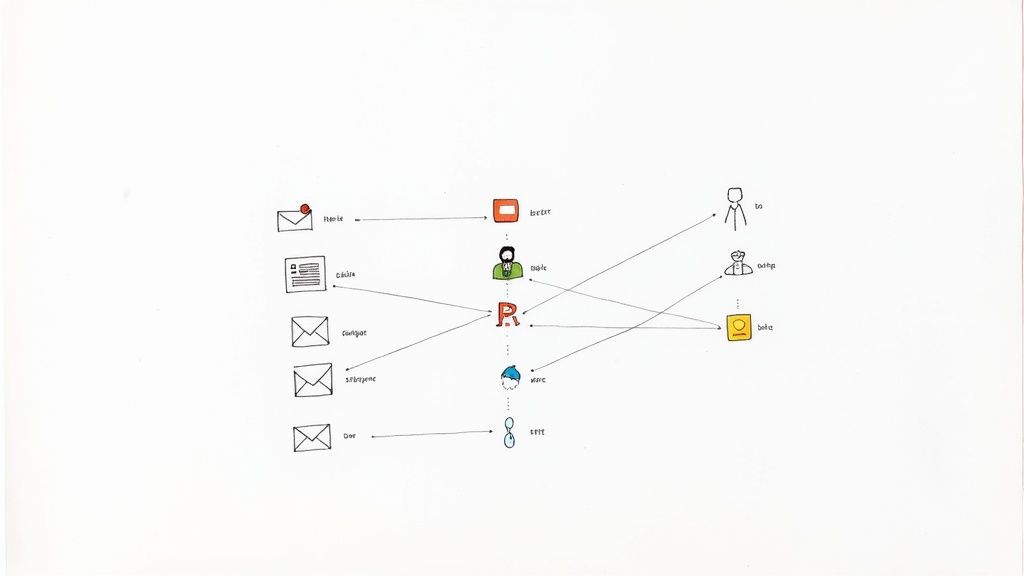
Email triage is the pass where you go through everything unhandled and decide what happens to each message. Deciding, and nothing else. The answering comes after.
The word comes from French trier, to sort, and it reached English through emergency medicine, where arriving patients get assigned a priority before anyone treats anybody. The useful half of the analogy is the sequencing: the sorting decision is made for everyone waiting before treatment starts on anyone. The unhelpful half is the drama. Most of what lands in a support queue is neither an emergency nor noise, and the value of triage is mostly in the boring middle.
Three lines are worth drawing now, because the search results on this topic blur all of them.
Triage is not reading. During a triage pass you look at sender, subject and the first line. If you find yourself scrolling a thread, you have stopped triaging and started working, and the rest of the queue is now waiting behind you.
Triage is not replying. The single most common way a triage pass dies is the message you can answer in thirty seconds. You answer it, then the next one takes ninety seconds, and forty minutes later half the queue is still undecided.
Triage is not inbox zero. Inbox zero is a target state: an empty inbox at the end of a session. Triage is one of the passes that gets you there, and it is perfectly possible to run good triage on a queue that never empties, which is the normal condition of a support address.
Why triage on a shared address is a different job
Personal triage answers one question per message: what do I do with this. Every framework you have read optimizes that question.
An address several people answer needs three answers, and the two extra ones are where teams come unstuck.
Who owns it. Personal triage has an implicit owner, which is you. On support@ the owner has to be chosen and recorded, or the message enters the state from the opening paragraph: seen by everyone, owned by no one. This is the bucket the three-bucket personal systems do not have, and it is the reason those systems fall apart the moment a second person gets access to the mailbox.
How fast. Your own inbox has a priority order in your head. A queue that several people work needs the order written down, because the person doing the pass on Thursday is not the person who did it on Tuesday, and "urgent" is not a shared unit of measurement.
Can everyone see it. A decision only counts if it is visible in the place the work lives. A decision made in your head, or in chat, or in a category only you can see, is not a decision as far as the rest of the team is concerned.
Skip those and you get three predictable failure modes: the unowned message that ages quietly (the two-day one above), duplicate work (two people answering because neither could see the other), and the quiet high-priority thread that stayed quiet because the customer who was blocked wrote politely. If your team is still deciding what to run the queue on at all, the shared inbox guide covers the container; this article is about the process that runs inside it.
The five buckets every message falls into
Give the person doing the pass a closed list of exits. Five is enough, and the second one is the one personal frameworks have no use for.
| Bucket | What it means | What has to be true before you move on | Where it lives on built-in tools |
|---|---|---|---|
| Answer now | Under two minutes and you already know the answer | It is actually sent, not drafted | Nothing needed |
| Assign | Someone else should answer it | A named person owns it and can see that they do | Google Groups assignment, or a rule plus a convention |
| Defer | Needs work, not today | It carries a due time, not just a flag | Snooze, follow-up flag with a date, dated label |
| Waiting | Ball is with the customer or another team | The clock is set for when to chase | Label or category plus a reminder |
| No action | Newsletter, receipt, notification, spam | It is out of the queue, not "read" | Filter, rule, archive |
Two notes on using it. "Answer now" is a trap if you let it stretch, so put a hard ceiling on it: about two minutes, and everything above it gets deferred. The research below found that people defer readily, including work they could have finished in well under half an hour, so the risk during a pass is never that you deferred too much. It is that one twenty-minute answer ate the time the other thirty messages were waiting on. And "assign" is only a bucket if the assignment is visible. If your version of assigning is telling someone in chat, you have not assigned the message, you have added a second place where it can be forgotten.
How to run a triage pass
The pass is a fixed routine, not a mood.
- Set a boundary. A time box or a message count, decided before you start. A queue with no boundary turns into a workday.
- Work in one direction. Oldest first is the honest default on a support address, because the age of a thread is a real cost to a real person. Jumping to whatever looks interesting is how the two-day message happens.
- Look at sender, subject, first line. Then decide. Seconds per message, not minutes. If you cannot decide, that is information: it means the message is ambiguous and it needs a named owner who can spend a minute on it, not a longer stare from you now.
- Never open the reply window. Except for the genuine sub-two-minute answers, and count them: if more than a third of a pass turns into answering, you are not triaging, you are working the queue in a random order.
- Do a second pass on what is left. The first pass clears the obvious. The second one deals with the residue, and it is where the honest priority calls actually get made.
There is research on how people do this, and it is worth comparing your habit against. In a Microsoft Research study presented at CHIIR 2019, Exploring Email Triage: Challenges and Opportunities, the authors interviewed fifteen information workers and surveyed 91 more at a single large US technology company, on a 9.1% response rate. Slightly more than half used a multi-pass approach and 46% did a single pass only; 48% went through their mail sequentially against 41% who went by priority. On the first pass, people handled what was easy to delete or archive first (46% of responses), then mail important to their work (28%), then mail from important senders (20%).
The deferral numbers are the interesting part. Deferral was near universal: 77% of respondents had at least one deferred message on the day they answered, 75% deferred at least one every day, and among those, 44% deferred five or more daily. More than 75% of deferred messages needed under 30 minutes of work, and 27% needed under 15. Deferring something you could finish in ten minutes is not laziness, it is a trade: you avoid the interruption now and pay a tracking cost later. Which is fine when the tracking is real, and the same study found how thin that often is. Only 18% of respondents needed no tracking strategy at all; among the rest, 32% marked pending mail unread and 18% flagged it.
Two caveats before you take those numbers to a team meeting. This is a small study of individual knowledge workers in their own mailboxes at one employer, not of support queues, so read it as a description of the habit you probably brought with you rather than as a benchmark. And "marked it unread" is precisely the tracking method that does not survive contact with a shared address, because unread is a per-person state and the next person to open the queue sees a different picture than you did. The personal inbox frameworks are worth knowing, but the tracking layer has to be replaced when the mailbox stops being yours.
Priority rules that hold up on a busy Monday
"Sort by urgency and importance" is advice that evaporates the moment a queue has forty things in it. Write down the tiers instead, with a response target attached, and keep the list short enough that a tired person on a Monday applies it correctly without thinking.
| Tier | What makes a message this tier | Response target | Who owns it |
|---|---|---|---|
| P1 | Customer is blocked, money is at risk, or a deadline lands today | Minutes to one hour | Named person, immediately, plus a backup |
| P2 | Normal support question, first contact, something with a date this week | Same working day | Whoever is on triage duty assigns it |
| P3 | Follow-up on a resolved thread, feature request, general question | Next working day | Round robin or by topic |
| Waiting | Answered, ball is with the customer | No target, but a chase date | Original owner keeps it |
The numbers in that table are yours to set, and the one thing you should not do is copy them from somewhere. A target lifted off a blog is a target your team will miss for reasons nobody can explain.
Some of the signals that feed those tiers can be judged by a machine, and some cannot. Worth automating: which address it arrived at (billing@ and security@ are not the same queue), keywords in the subject, whether the sender is a first-time contact or replying to an existing thread, the sending domain when you have accounts that carry a contractual response time. Not automatable, and you should stop trying: whether the customer is actually blocked or merely annoyed, whether this is the third time they have asked, and whether the polite message is hiding an outage.
Setting up triage in Gmail and Outlook
Both platforms give you more than people use. None of it is a workflow tool and all of it is worth switching on first.
Gmail filters do the sorting before anyone sees the queue. Click the search box, then Show search options, enter your criteria, then Create filter at the bottom of the window and pick the actions. Two documented caveats matter for triage: Google notes that a forwarding filter only affects new messages, and that a reply to a filtered message is only filtered if it independently matches the same criteria. So a filter that labels a thread on arrival will quietly stop labeling it once the conversation gets going, which is exactly when you cared about the label.
Gmail inbox types change what the pass looks at first. Under Settings, the inbox type options are Default, Important first, Unread first, Starred first, Priority Inbox and Multiple Inboxes. Priority Inbox splits the view into sections you choose: "Important and unread", "Starred", "Everything else", or a label you made. For a queue, a label section built from your own filters beats Google's importance guess, because you can explain your filter to a colleague.
Outlook rules are the equivalent, and the path depends on which Outlook you are in. In new Outlook, right-click a message, then Rules > Create rule, and More options for the full condition and action list. In classic Outlook it is File > Manage Rules & Alerts > New Rule. On the web it is Settings > Mail > Rules > Add new rule. Microsoft documents two limits worth knowing before you plan around it: new Outlook does not support rules for third-party accounts such as Gmail, Yahoo and iCloud, and some rules created in classic Outlook are client-side and cannot be carried over, so you rebuild them.
Google Groups Collaborative Inbox is the one built-in that gives you a genuine assign bucket, and most teams never get it working. Members can take a conversation, assign it to someone else, or mark it complete, and filter to "Assigned to me", "Assigned to anyone", "Not assigned" or unresolved. The catch is permissions: Google's documentation puts take, assign and mark complete behind the "Who can moderate metadata" permission, and marking a thread as duplicate or no-action-needed behind "Who can moderate content". A group owner has to grant those first. Teams that skip that step conclude the feature is broken, when what happened is that nobody had the right to press the button. Setting a Collaborative Inbox up properly walks the enable path, both permissions and the ceilings Google publishes.
Where built-in triage stops working
The ceilings are real and documented, and it is better to know where they are than to discover them at 200 messages a day.
Categories and flags are personal state. Your category colors, your flags and your read status are yours. On a shared mailbox, the next person opening the queue does not see the picture you built, which means your triage decisions do not survive the handoff.
There is no assignment audit trail. A rule can label a message. It cannot tell you who took it, when they took it, or that they took it and then went on holiday.
Nothing tells you a colleague is typing. Assignment, where it exists, is a state someone sets. It is not a live signal, so two people who both open the queue at 9:02 can still collide.
Microsoft's shared mailbox caps at 25 users. Microsoft's documentation sets that maximum and warns that with too many people in it at once, users "might experience connection failures or duplicated messages". The same page documents 50 GB of storage without a license, that mail sent from a shared mailbox cannot be encrypted because the mailbox has no security context of its own, that people outside your organization cannot be given access, and that you cannot stop members deleting messages.
Where a dedicated tool starts earning its money. That is the point where the assign bucket needs somewhere real to live. A shared inbox tool like TriageFlow works on that end: auto-assignment routes a thread to a person based on how the team is set up, and AI labels separate the categories before anyone opens the queue, so the pass starts with part of the sorting already done. If you have reached the point of comparing options, how to choose a shared inbox tool covers the criteria properly, and what email triage software has to do that a rule cannot covers the narrower question of which layer should hold the triage decision.
Be clear-eyed about what automated classification is doing for you, though. A model can read a message and guess its topic, and that guess is good enough to pre-sort a queue so nobody starts from an undifferentiated pile. What it cannot see is the context that sets priority: that this customer is already three days into a problem, that the contract renews on Friday, that the last reply promised something. Automation is worth having at the front of the pass, not at the end of it, and the tier call stays with a person. If you are weighing that up, what AI email triage actually does and where it fails goes through the failure modes and a staged rollout.
Ownership rules that decide whether any of this holds
Tooling does not fix a queue that nobody has been made responsible for. Five rules cover most of it.
Name a triage owner for each day, and rotate it. "Everyone watches the inbox" reliably produces the two-day message. One person does the passes that day, and their job is deciding and routing rather than answering everything. Rotate it, because whoever does it permanently stops enjoying their job and does not always say so.
Fix the pass times to your response target, not to a habit. If you promise a four-hour first response, a pass every two hours covers you. If you promise same-day, twice a day is fine. Pick the number from the promise, then hold it.
One line per tag, written down. Five to eight tags, each with a single sentence saying when it applies. A taxonomy that needs explaining is a taxonomy nobody applies, and an unapplied tag makes your reporting lie to you.
Make the handoff a contract. When you assign, the receiving person needs four things: what the customer actually wants, what has already been said to them, when it is due, and where it is now. Assignment without that is just moving the problem to a different desk. Decide too what happens when the owner is out, because "it is assigned to someone on holiday" is indistinguishable from unassigned, except that it looks handled.
Write the escalation rule with a number in it. "Still unassigned after two hours, it goes to the lead." An interval and a destination, both written down and both boring. An escalation path that lives in someone's judgment is not a path.
Then spend fifteen minutes a week on what got misrouted. Misroutes are the cheapest signal you have about which of your rules is wrong.
How to tell your triage is working
Five numbers, measured for two weeks before you set any target.
- Time to first touch. Arrival to first triage decision, not to first reply. This is the number triage actually controls, and the only one that separates a slow queue from an undecided one.
- Unassigned at end of day. What share of the queue still has no owner when the last person logs off. If this is not near zero, nothing downstream will work.
- Misroute rate. How often a message gets reassigned. A little is healthy. A lot means your tiers or your tags describe a team that no longer exists.
- Duplicate replies. Count them by hand if you have to. This is the number that justifies the whole exercise to anyone who thinks the current setup is fine.
- Backlog age. The oldest untouched thread in the queue, checked daily. One number, and it is the one that embarrasses you into fixing things.
Use the median, not the mean, for anything time-based. One nightmare thread will bend an average and hide a bad week.
If the numbers stay bad after the rules are in place, the problem may not be triage. Sometimes a queue is genuinely understaffed, and running your volume, handling time and response target through a support team size calculator will tell you whether you are short of process or short of people.
Frequently asked questions
What does triage mean in email?
It comes from the French trier, to sort, and reached English through emergency medicine. The analogy is worth knowing mostly for where it breaks. A hospital assesses severity itself, whereas the severity of an email is asserted by the sender, and the loudest message in a queue is very often not the most urgent one. Triage on email is therefore as much about discounting the stated urgency as about ranking it.
How do you triage emails?
Look only at sender, subject and first line, assign a bucket, move on. The part people get wrong is what to do about mail that arrives while the pass is running: leave it. Chasing new arrivals turns a bounded pass into an open-ended shift, and anything that landed after you started belongs to the next pass, which is minutes or hours away and already scheduled.
Is email triage the same as inbox zero?
No, and on a support queue conflating them will mislead you. Inbox zero is a state, an empty inbox at the end of a session, and it is easy to reach dishonestly: an empty queue at 6pm can mean triage worked or that somebody archived the awkward threads. Triage is the pass that gets you there, and the number that tells you it worked is time to first touch, not how empty the screen looks.
How often should you triage the inbox?
Derive the interval from the response time you have promised, not from a habit or a calendar slot. A four-hour first-response target is covered by a pass every two hours, and a same-day target by two passes. The arithmetic is deliberately conservative: the pass has to catch a message that arrived one minute after the previous one ended and still leave someone time to answer it.
How long should a triage pass take?
Seconds per message, so a queue of forty is a short exercise rather than a morning. If a pass consistently runs long, the cause is usually routing rather than speed: too much is arriving in one queue that should have been split by address or filter before a human ever saw it.
What are the buckets for triaging email?
Answer now, assign, defer with a due time, waiting on someone else, and no action. Resist adding a sixth. The one teams reach for is some version of "read later", and because it carries no owner and no date, it becomes the bucket messages go into and do not come out of, which is the problem triage existed to solve.