The 8 best mail management apps in 2026 - at a glance
If you only have 60 seconds, here's the comparison. Pricing, target user, and the one-line "use it when" verdict for each.
| # | App | Best for | Platforms | Free tier | Paid from |
|---|---|---|---|---|---|
| 1 | TriageFlow | Small teams handling customer email with AI | Web (any inbox) | 14-day trial | $49/mo (500 emails) |
| 2 | Spark | Individuals + small teams wanting clean smart inbox | iOS, Android, macOS, Windows | Yes (solo) | $7.99/user/mo |
| 3 | Microsoft Outlook | Microsoft 365 shops, calendar-heavy users | All major platforms | Web only | $6.99/mo (Microsoft 365) |
| 4 | Gmail | Google Workspace users, personal email | All major platforms | Yes (15GB) | $6/user/mo (Workspace) |
| 5 | Clean Email | Inbox-zero seekers, bulk unsubscribe | Web (any provider) | 14-day trial | $9.99/mo |
| 6 | Mailbird | Windows users with multiple accounts | Windows | Yes (limited) | $3.25/mo |
| 7 | SaneBox | Hands-off AI sorting on top of existing inbox | Any (overlay) | 14-day trial | $7/mo |
| 8 | Airmail | Mac/iOS power users wanting deep customization | macOS, iOS | No (1-week trial) | $2.99/mo iOS / $9.99 once macOS |
Quick decision shortcut:
- Customer-support email for a team → TriageFlow
- Personal productivity, cross-platform → Spark
- Already on Microsoft 365 → Outlook
- Already on Google Workspace → Gmail
- Inbox is overflowing with newsletters and noise → Clean Email or SaneBox
- Windows-only, multiple accounts → Mailbird
- Mac/iOS native with maximum customization → Airmail
The rest of this guide goes deep on each app's actual strengths, real weaknesses, and the use cases where it wins or loses.
How we evaluated these apps
Eight things that matter when picking a mail management app, scored honestly for each tool below:
- Setup speed. How long from install to "this is actually helping"?
- AI/automation depth. Does it just sort, or does it draft replies?
- Multi-account support. One inbox view for several email addresses?
- Team collaboration. Shared inbox, assignment, internal comments?
- Search and filtering. Can you actually find that email from 3 months ago?
- Cross-platform consistency. Does the mobile app match the desktop one?
- Pricing transparency. Clear tier numbers or "contact sales"?
- Trust signals. Privacy posture, data handling, security certifications.
No app wins all eight. Each section below names the dimensions where the app is strong - and where it's weak.
1. TriageFlow - AI shared inbox for small teams
Best for: Small support teams (3-30 agents) drowning in customer emails and looking to automate routine replies without surrendering control to a chatbot.
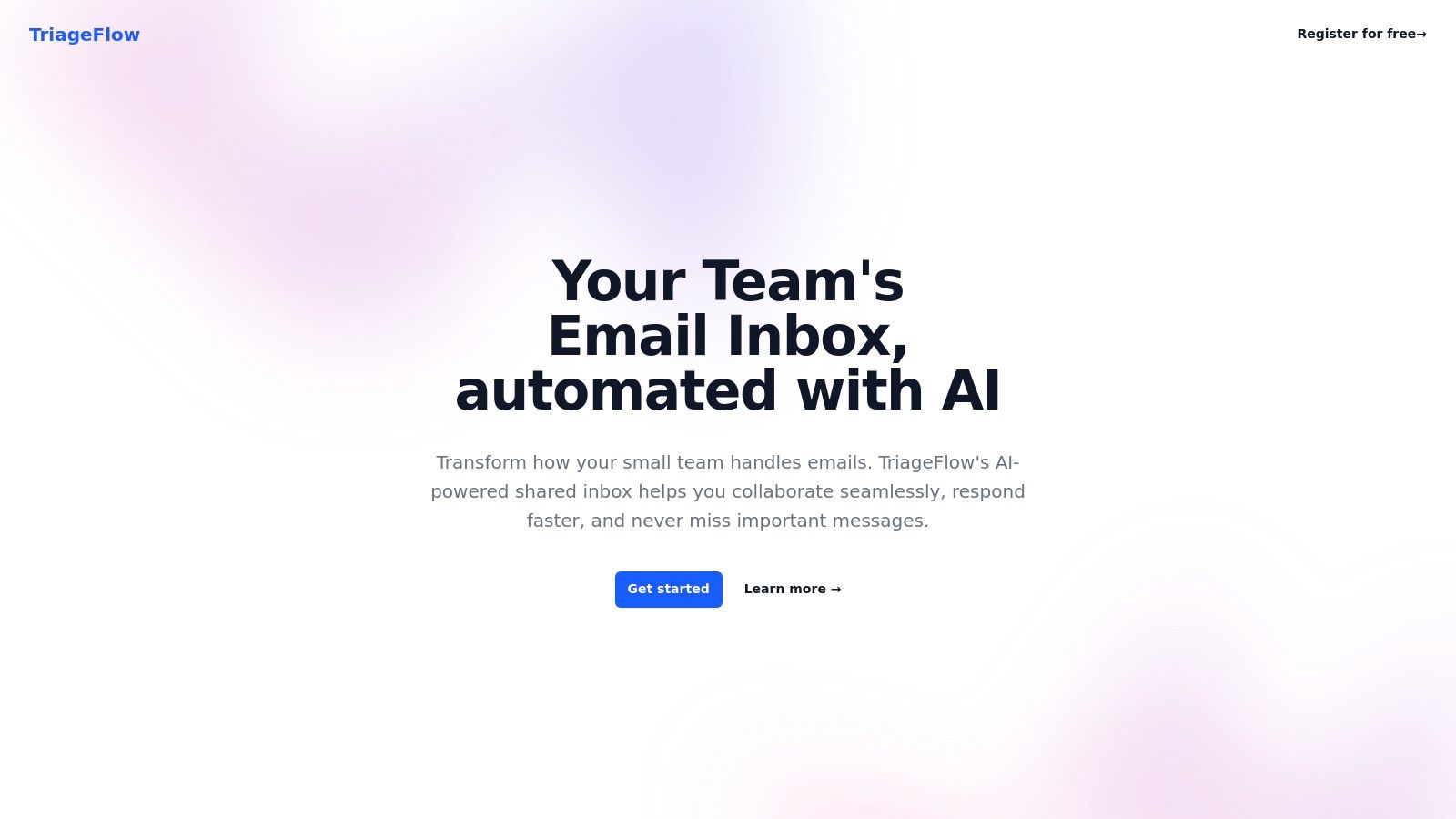
TriageFlow is an AI shared inbox built specifically for customer-facing email - not a chatbot, not a fully-autonomous AI agent. It reads incoming messages, retrieves relevant past resolutions, drafts a complete response in your team's tone, and surfaces the draft to the agent for review, edit, and send. Routine tickets get answered in seconds; complex ones still go to humans.
What works:
- AI draft-and-approve workflow. Captures the speed of AI without the catastrophic-AI-reply risk. Agents edit drafts rather than type from scratch - typically 2-3× faster on routine email
- Shared inbox with assignment. Every team member sees every email; assignments, internal comments, and status flags keep work moving without scattered communication
- Email-volume-based pricing. No per-seat charge, unlimited team members. Pricing scales with what actually drives cost (AI inference on email volume), not headcount
- Works with your existing email. Connects to Gmail, Outlook, IMAP - no migration, no new inbox to learn
Where it's weak:
- Built for customer support, not personal inbox management. If you want help managing your own email, this isn't it
- No native mobile app yet - web-only, which works on mobile but isn't a polished app experience
- Younger product than Outlook/Gmail - fewer integrations with niche tools (most B2B integrations work via your email provider)
Pricing (live as of May 2026):
- $49/month - 500 emails/month, unlimited seats, all features
- $199/month - 2,500 emails/month, unlimited seats, all features
- $1,499/month - 25,000 emails/month, unlimited seats, all features
14-day free trial, no card required. Pricing is per-email-volume rather than per-seat - the team-size penalty most help-desk tools charge doesn't exist here.
Visit: triageflow.com
2. Spark - Smart inbox for individuals and small teams
Best for: Individuals and small teams who want a polished, cross-platform email client with smart categorization and lightweight team features.
Spark organizes incoming emails into Personal, Notifications, and Newsletters automatically - without the user setting up rules. The smart inbox is the standout feature: most users see a meaningful reduction in inbox-zero-anxiety within the first week.
What works:
- Cross-platform consistency. iOS, Android, macOS, and Windows all feel the same - rare in this space
- Smart inbox categorization that's accurate out of the box
- Send later + scheduled email built in (Spark popularized this feature)
- Free tier is genuinely usable for solo users - most personal-productivity features are unlocked
Where it's weak:
- Sync delays between devices show up occasionally
- Team features (shared inbox, delegation) are paywalled and feel bolted on rather than first-class
- Limited third-party integrations compared to Outlook
Pricing: Free for individuals. Spark Premium at $7.99/user/month for team features. Family plan available.
Visit: sparkmailapp.com
3. Microsoft Outlook - Powerhouse for Microsoft 365 shops
Best for: Teams already on Microsoft 365, calendar-heavy users, anyone needing tight integration with Teams, OneDrive, and SharePoint.
Outlook is no longer just an email client - it's a productivity hub with the calendar, contacts, and Microsoft 365 ecosystem baked in. For organizations standardized on Microsoft, nothing else comes close on integration.
What works:
- Focused Inbox prioritizes important emails using ML (similar to Gmail's Primary tab)
- Advanced rules + filters are the most powerful in this list - true conditional logic, not just basic if-then
- Calendar integration is industry-best - meeting scheduling, room booking, free/busy lookup all native
- Cross-platform with consistent feature set across web, Windows, macOS, iOS, Android
Where it's weak:
- Genuinely overwhelming for new users - feature density is high
- Best features require Microsoft 365 subscription (free version is functionally limited)
- Slower performance with very large mailboxes (100k+ emails)
Pricing: Free tier (Outlook.com). Microsoft 365 Personal at $6.99/month. Business plans start at $6/user/month.
Visit: microsoft.com/outlook
4. Gmail - Ubiquitous, AI-assisted, free for personal use
Best for: Personal users, anyone on Google Workspace, teams who want the AI features Google has been shipping aggressively (Help me write, smart replies, Gemini-powered summarization).
Gmail is the default mail app for hundreds of millions of users for a reason: it's free for personal use, has 15 GB of storage, and integrates seamlessly with Drive, Calendar, Meet, and the rest of the Google ecosystem.
What works:
- Smart Categories (Primary, Social, Promotions, Updates, Forums) work well with minimal tuning
- AI features ship continuously - Smart Replies, Help Me Write, automatic categorization, summarization
- Powerful search with operators (
from:,has:attachment,older_than:) that actually work - Generous free tier + cheap upgrades via Google One ($1.99/mo for 100 GB)
Where it's weak:
- Customization is limited compared to dedicated clients (no custom themes, layouts, etc.)
- Privacy concerns persist around Google's data practices, even with current commitments
- Shared inbox / team-collaboration features require Google Workspace + third-party add-ons
Pricing: Free for personal use (15 GB shared with Drive/Photos). Google Workspace starts at $6/user/month (1 TB storage + admin features).
Visit: google.com/gmail
5. Clean Email - Bulk inbox cleanup, privacy-first
Best for: Users with overflowing inboxes who want to bulk-unsubscribe, archive old newsletters, and clean years of accumulated clutter - without an AI reading their email content.
Clean Email is unusual in this list: it doesn't replace your email client. It sits alongside it, analyzes message headers (not content), and offers powerful bulk-action tools. Pick "all newsletters from this sender, archive everything older than 30 days" and execute in one click.
What works:
- Bulk actions on tens of thousands of emails in seconds - best in class
- Strong privacy stance - only metadata is analyzed, never message content
- Works on top of any email provider - Gmail, Outlook, iCloud, Yahoo, IMAP all supported
- Unsubscribe view is excellent for newsletter detox
Where it's weak:
- Not a complete email client - you still need Gmail/Outlook/etc. for actual email work
- Subscription required for full functionality (free tier is severely limited)
- Some features (like simple auto-unsubscribe) overlap with native features in modern email clients
Pricing: Free trial. Subscription plans from $9.99/month (single account) to $29.99/month (5 accounts).
Visit: clean.email
6. Mailbird - Windows-native multi-account hub
Best for: Windows users managing 3+ email accounts who want them unified in one fast desktop client with productivity integrations.
Mailbird unifies multiple email accounts (Gmail, Outlook, Yahoo, IMAP/POP3) into a single Windows-native inbox with color-coding, customizable layouts, and integrations with WhatsApp, Trello, Asana, and Google Calendar built in.
What works:
- Unified inbox across providers - best-in-class for someone with 5+ different addresses
- Fast on big mailboxes - handles 100k+ emails without the slowdown other clients hit
- Lifetime license available - pay once instead of subscription forever
- Productivity-tool integrations baked in (Asana, Trello, WhatsApp, Slack)
Where it's weak:
- Windows only - no Mac, iOS, or Android app at all. Total dealbreaker if you're not on Windows
- Advanced features (snooze, speed reader, unlimited accounts) require Pro version
- Occasional stability issues reported with specific integrations
Pricing: Lite (free, limited). Pro: $3.25/month or $129 lifetime. Business plans available.
Visit: getmailbird.com
7. SaneBox - AI overlay for any existing inbox
Best for: Users who don't want to switch email clients but want intelligent filtering and priority-inbox behavior added to their current setup.
SaneBox is an overlay, not a client. It connects to your existing email (Gmail, Outlook, iCloud, any IMAP), learns what's important to you, and automatically moves less-important messages to SaneLater, SaneNews, and SaneBulk folders. You keep using whatever email app you already use - SaneBox just organizes it in the background.
What works:
- Zero workflow change - you don't switch apps, just install SaneBox once and let it work
- AI learning improves over time as you correct its categorization
- Works with any email service - provider-agnostic
- SaneBlackHole is the best one-click sender-block in this list
Where it's weak:
- Subscription with no free tier (just a trial)
- Initial 1-2 weeks of training needed for AI accuracy to improve
- Some features (Snooze, follow-up reminders) now duplicate native features in modern email clients
Pricing: 14-day free trial. Subscription plans from $7/month (Snack), $12/month (Lunch), $36/month (Dinner). Tier differences are mostly feature counts, not email volume.
Visit: sanebox.com
8. Airmail - Power-user email for the Apple ecosystem
Best for: Mac and iOS power users who want maximum customization, deep integration with Apple's productivity ecosystem, and gesture-driven workflows.
Airmail is a Mac/iOS-only email client built for users who want to tune every aspect of their email experience - custom swipe actions, advanced filtering rules, third-party integrations (Dropbox, Google Drive, Trello, OmniFocus, Things).
What works:
- Highly customizable - more configuration knobs than anything else in this list
- Beautiful native Apple design that feels at home on macOS and iOS
- Excellent Handoff support - start an email on Mac, finish on iPhone seamlessly
- Integrations with Apple-native productivity tools (Reminders, Things, OmniFocus, Bear)
Where it's weak:
- Apple-only - no Windows, no Android
- iOS/iPadOS version requires subscription while macOS is a one-time purchase (confusing pricing)
- Steeper learning curve than Spark or Gmail
- Occasional stability issues mentioned in recent reviews
Pricing: macOS - one-time $9.99 purchase. iOS/iPadOS - $2.99/month or $9.99/year subscription.
Visit: airmailapp.com
Which mail management app fits your use case?
The answer depends on what you're trying to manage - your own inbox, your team's inbox, or a customer-facing support workflow. Use this breakdown:
"I'm managing my own personal email and want it less chaotic"
Best fits: Spark, Gmail, Clean Email, SaneBox.
Pick Spark if you want a new email client. Pick Clean Email or SaneBox if you want to keep your current client and just add intelligence. Gmail is the right answer if you're already there and just need to use its features better.
"I'm a small team handling customer email and need automation"
Best fit: TriageFlow. The AI-drafted reply workflow with human approval is built specifically for this case, and it's the only tool in this list that doesn't penalize you for adding team members.
Outlook + a shared mailbox is the second option if you're already on Microsoft 365 - but you'll be doing all the email triage manually.
"I'm a Microsoft 365 shop"
Best fit: Microsoft Outlook. The integration with Teams, calendar, and SharePoint is unmatched. The cost is already in your Microsoft 365 subscription.
"I'm a Google Workspace shop"
Best fit: Gmail. Same logic - Google Workspace is already paid for, and the AI features (Help me write, Smart Reply, Gemini) are improving fast.
"I'm on Windows with several email accounts"
Best fit: Mailbird. Nothing else in this list is Windows-native with this depth of multi-account support.
"I'm an Apple power user and want maximum customization"
Best fit: Airmail. The trade-off is the learning curve, but if you live in macOS + iOS, the native design pays back the setup time.
Mail management app FAQs
What's the difference between an email client and a mail management app?
Email clients (Gmail, Outlook, Airmail, Mailbird) are the apps you use to send and receive email. Mail management apps are a broader category that also includes overlays (SaneBox), bulk-cleanup tools (Clean Email), and team-focused workflow tools (TriageFlow). Many users combine one client with one management tool - e.g., Gmail + SaneBox or Outlook + Clean Email.
What's the best mail management app for a small team?
For customer-facing email: TriageFlow (AI shared inbox, unlimited seats). For internal/general team email: Microsoft Outlook if you're on M365, Spark Premium if you want something lighter. Outlook + shared mailbox is the traditional answer; TriageFlow is the modern answer when you want AI to handle the routine work.
What's the best mail management app for Outlook users?
If you mean "for users of Outlook" - SaneBox or Clean Email as an overlay are the highest-leverage adds. SaneBox layers AI prioritization on top of Outlook's already-strong filtering, and Clean Email handles the bulk cleanup Outlook is weakest at.
If you mean "as an alternative to Outlook" - Spark is the closest like-for-like replacement with a cleaner UI; Mailbird is the closest Windows-specific replacement.
Is there a free mail management app that's actually good?
Yes - Spark (free for individuals, all core features), Gmail (free with 15 GB), and Mailbird Lite (free with limited features) are all genuinely useful at the free tier. The subscription-only tools (Clean Email, SaneBox, Airmail iOS) typically offer 14-day trials so you can evaluate before paying.
How do I pick between SaneBox, Clean Email, and Spark?
- Want to keep your current inbox and add intelligence: SaneBox (AI priority filtering) or Clean Email (bulk cleanup). Pick SaneBox for ongoing organization, Clean Email for one-time/periodic massive cleanups.
- Want a new email app entirely: Spark.
- Need shared-inbox team features: none of the three is built for this - look at TriageFlow or Outlook with shared mailbox.
Are AI-powered mail management apps safe for sensitive email?
It depends on what the AI does and where data goes. Clean Email explicitly analyzes only metadata (not content) - strong privacy stance. SaneBox processes content to learn priorities but encrypts data and is SOC 2 audited. TriageFlow processes email content for AI drafting and is built with GDPR + data-processing transparency. Check each tool's privacy policy before connecting it to high-sensitivity inboxes (legal, medical, financial).
What's the cheapest mail management app?
For paid tools: Airmail macOS at $9.99 one-time is the lowest total cost if you only need Mac. Mailbird Lite and Spark are free with usable features. For paid subscriptions, Mailbird Pro at $3.25/month is the cheapest ongoing option.
What to do next
If you're spending more than 2 hours a day on email and the bottleneck is your team handling customer inquiries - start a TriageFlow trial and let the AI draft replies for 14 days on your real ticket flow. You'll see the AHT impact within a week.
If the bottleneck is personal inbox chaos - try Spark for a week and see if smart inbox categorization works for you, or run Clean Email once to bulk-archive years of accumulated clutter.
If you're already on Microsoft 365 or Google Workspace - most of what you need is already there; spend 30 minutes setting up rules, filters, and Focused Inbox / Categories before adding another tool.
The right tool is the one that matches your actual bottleneck. Everything else is shelfware.